

Introduction
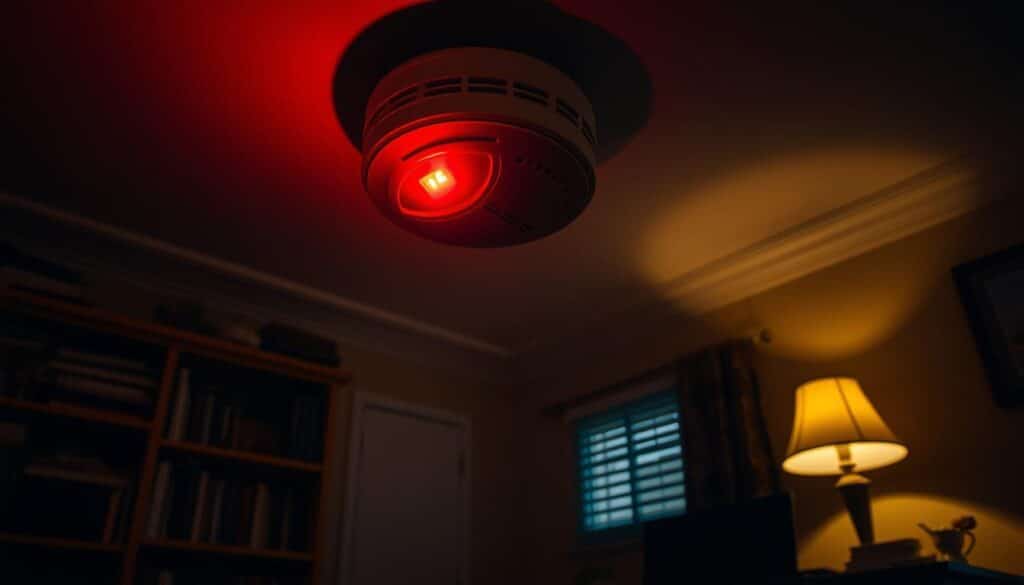
If you’ve ever been woken up by a hardwired fire alarm beeps randomly at night randomly in the middle of the night, you’re not alone. This common issue can be both frustrating and confusing, especially when there’s no obvious fire or danger present. While fire alarms are designed to keep you safe, a random beep from a hardwired fire alarm can occur for a variety of reasons. Understanding why this happens and how to address it is essential for ensuring the continued reliability of your home safety system.
In this article, we’ll explore the most common reasons why a hardwired fire alarm beeps randomly at night, how to troubleshoot the issue, and what actions you can take to stop the beeping. We’ll also provide helpful tips on maintaining your fire alarm to prevent future occurrences.
Why Does a Hardwired Fire Alarm Beep Randomly at Night?
hardwired fire alarm beeps randomly at night are directly connected to your home’s electrical system, providing a constant source of power. However, like any electrical device, they can experience issues from time to time, leading to random beeping. Below are the most common causes of this issue:
1. Low Battery in Backup Power Supply
Although your fire alarm is hardwired, it typically contains a backup battery to maintain functionality during a power outage. If this battery becomes low or is near the end of its life, your alarm will beep to let you know it needs replacing. This can happen even if the main power supply is still working fine.
Solution:
Check and replace the backup battery. Even if your fire alarm is hardwired, this backup battery should be replaced annually to avoid random beeping and ensure the alarm continues to function during a power outage.
2. Faulty or Loose Wiring Connections
Loose, frayed, or damaged wiring can disrupt the flow of electricity to your fire alarm. This can cause the system to malfunction and trigger random beeping. Wiring issues are more common in older homes or installations, but they can also occur if the alarm was poorly installed.
Solution:
Turn off the power at the circuit breaker before inspecting the wiring. If you find any loose or damaged wires, you may need to call a professional to repair or replace them. Electrical work can be hazardous if you’re not trained, so it’s always best to hire an expert for such repairs.
3. Build-Up of Dust or Debris on the Sensor
The smoke sensor inside your fire alarm can get clogged with dust, dirt, or even spider webs. This build-up can cause the sensor to malfunction and result in false alarms, including random beeping during the night when the temperature or air pressure shifts.
Solution:
Clean the alarm’s sensor regularly. Use a soft cloth or a can of compressed air to clear any dust or debris from the sensor. A vacuum cleaner can also be used to remove dirt from the alarm’s exterior and vents. Keeping your alarm clean will help prevent unnecessary beeping and ensure it works efficiently.
4. Temperature and Humidity Changes
Fire alarms, particularly smoke detectors, are sensitive to environmental factors such as temperature and humidity. Significant fluctuations, such as those caused by air conditioning, heating systems, or even seasonal changes, can trigger the alarm to beep randomly, especially during the night when temperatures can drop.
Solution:
Ensure your fire alarm is installed in a stable environment, away from direct sources of heat or moisture. Try to place it in areas with moderate and consistent temperature levels, avoiding places like kitchens, bathrooms, or near windows where temperature shifts are more common.
5. Old Fire Alarm Units Reaching Their Expiration Date
Over time, hardwired fire alarms can become less reliable as their internal components degrade. Most fire alarm manufacturers recommend replacing your unit every 10 years. If your fire alarm is approaching or past its expiration date, it could start beeping randomly to indicate that it’s no longer functioning properly.
Solution:
Check the manufacturing date of your fire alarm. If it’s older than 10 years, it’s time to replace it. Even if the alarm seems to be working, outdated models can start to malfunction or fail to detect smoke effectively.
6. Interference from Other Electrical Devices
Sometimes, other electrical devices in your home can interfere with the operation of a hardwired fire alarm. Devices that emit electromagnetic signals—such as microwaves, fluorescent lights, or large appliances—can cause the alarm to beep unexpectedly.
Solution:
Identify and unplug any appliances or electronic devices that could be causing interference. If the beeping stops, it may be a sign that electromagnetic interference is affecting your fire alarm. Consider relocating the alarm or the interfering devices to prevent this issue from recurring.
Troubleshooting Steps for a Randomly Beeping Hardwired Fire Alarm
If your hardwired fire alarm beeps randomly at night in the middle of the night, follow these steps to troubleshoot the issue:
1. Silence the Alarm Temporarily
Press the “Test” or “Silence” button on your alarm to stop the beeping. This will help you determine whether the issue is temporary or ongoing. Use this time to check for obvious issues, such as a low battery or dust buildup.
2. Inspect the Backup Battery
Even in hardwired fire alarms, a backup battery is essential. When it’s low, the alarm will beep to signal that it needs to be replaced. Check the backup battery by opening the panel of the fire alarm and testing it. Replace the battery if necessary.
3. Examine the Wiring Connections
If the battery is fine, inspect the wiring. Turn off the power to the alarm and look for loose or frayed connections. Tighten any loose connections, and if you find significant damage, consider calling an electrician.
4. Clean the Fire Alarm Sensor
Using a vacuum or compressed air, clean the smoke sensor. Ensure there is no dust or debris obstructing its functionality. Clean the alarm every few months to prevent dust accumulation and ensure smooth operation.
5. Test the Alarm
After addressing any potential issues, press the “Test” button to check whether the alarm is functioning properly. If the beeping persists, you may need to replace the alarm altogether.
Preventing Future Beeping from Your Hardwired Fire Alarm
To avoid random beeping and ensure your fire alarm continues to function optimally, follow these preventive measures:
1. Change the Backup Battery Regularly
Even if your fire alarm is hardwired, it relies on a backup battery for power during outages. Change the battery annually to prevent random beeping and to ensure the alarm remains fully operational.
2. Schedule Regular Inspections
Have a professional inspect your fire alarm system every few years. Regular inspections can catch issues like faulty wiring, aging components, and dust buildup before they lead to false alarms.
3. Clean the Alarm Regularly
Dust and dirt can clog the sensors, causing the alarm to malfunction. Clean your alarm at least once every six months to maintain its efficiency and accuracy.
4. Replace the Alarm Every 10 Years
Most fire alarms have a lifespan of 10 years. After this period, replace the alarm with a newer model to ensure reliable protection. Newer alarms often come with updated technology and features that enhance safety.
Conclusion
A hardwired fire alarm beeping randomly at night can be unsettling, but it’s usually a sign that something needs attention. Whether it’s a low backup battery, faulty wiring, or environmental factors, addressing the cause of the beeping promptly is crucial for both your peace of mind and safety. By following the troubleshooting steps and performing regular maintenance, you can keep your fire alarm in top condition and reduce the likelihood of unexpected beeping.
If your fire alarm continues to beep despite your efforts to resolve the issue, consider contacting a professional to inspect and repair the system. Remember, your fire alarm is an essential part of keeping your home safe, so regular maintenance is key to ensuring it works properly when you need it most.
FAQs
1. Why does my hardwired fire alarm beep randomly at night?
Random beeping can occur due to a low backup battery, loose wiring, sensor dust, or environmental factors like temperature changes. Check each component to determine the cause.
2. How can I stop my hardwired fire alarm from beeping?
Press the “Silence” or “Test” button to temporarily stop the beeping. Check the backup battery, wiring, and sensor for any issues. Replace or clean components as needed.
3. How often should I replace the battery in a hardwired fire alarm?
The backup battery should be replaced every year to ensure the alarm functions properly, especially during power outages.
4. Can I fix a hardwired fire alarm myself?
You can inspect the backup battery, clean the alarm, and check wiring, but for complex issues like faulty wiring or electrical problems, it’s best to contact a licensed electrician.
5. When should I replace my hardwired fire alarm?
Most fire alarms need to be replaced after 10 years of use. If your alarm is older, it may be time to upgrade to a newer model to ensure optimal safety and performance.











Leave a comment